

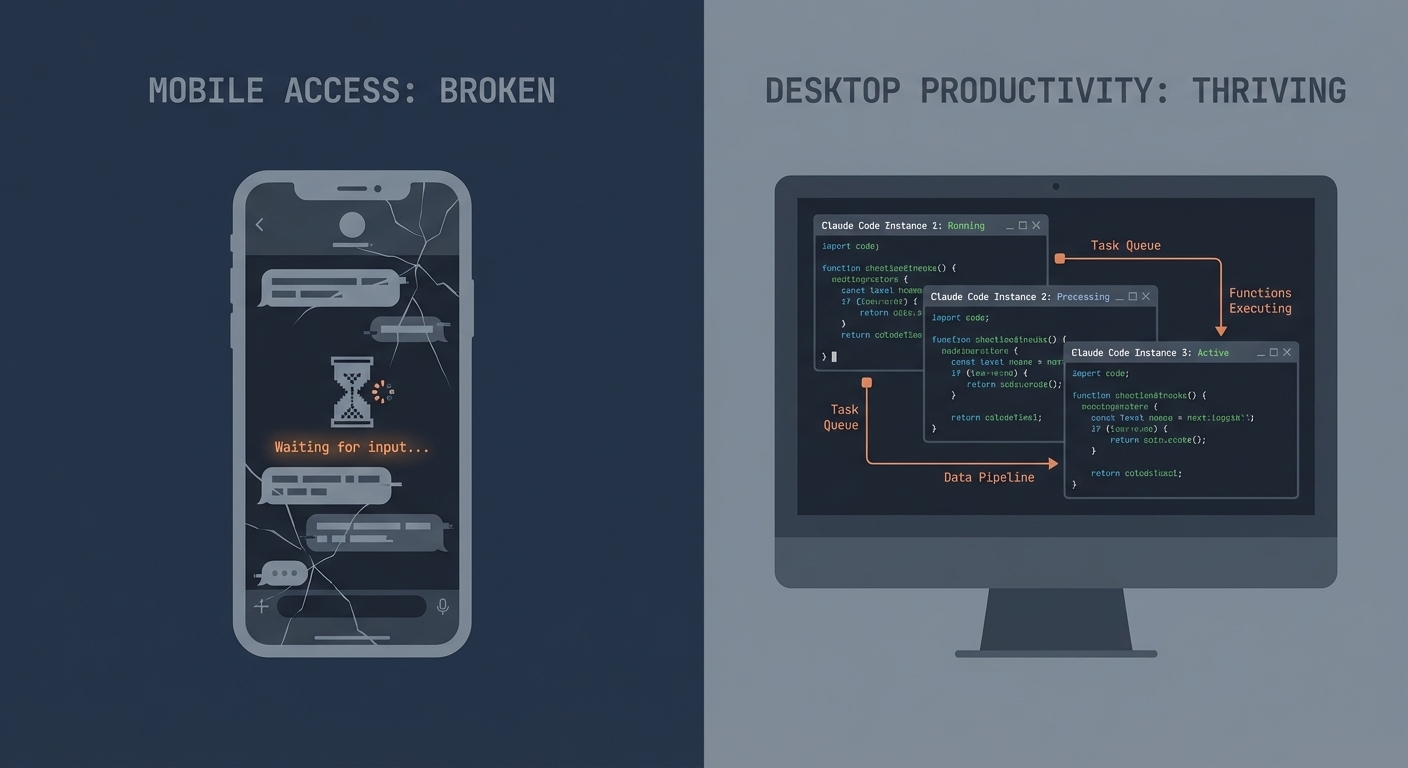
Mobile access vs. desk productivity: What power users actually need
When I hear someone say they only use Claude Code two to three hours a day and complain about "wasted capacity," I think: we're talking about different tools. Not because Claude Code works differently for different people — but because usage patterns diverge so fundamentally that the same question ("How do I use Claude Code on the go?") needs completely different answers.
Yanli Liu recently coined the term "Desk Tax" in an article on Medium: $20/month, only two to three hours of desk time, 230 "idle hours" per month. The image of a tool that sits unused most of the time. For a certain user type, that's a valid observation. For my daily routine, it describes a different reality.
I'm one of those users who rely on Claude Code as their primary work tool — all day long, plus free time. Not one instance, but multiple in parallel. Not with careful permission prompts, but in bypass-permissions mode, where the agent works autonomously. For me, the desk isn't the bottleneck. It's the default state. The real limits are elsewhere.
This article is a field report from that perspective: what actually works for mobile access, where the real breaking points are — and what I'd wish for instead.
My Setup: Two Plans, Multiple Instances
Team Premium + Max 20x
I have a Team Premium seat ($100–150/seat/month). The limits: 50–95 hours of Sonnet per week, 3–7 hours of Opus per week. Sounds generous — but it's not enough when Claude Code is the primary tool and multiple instances run in parallel.
That's why I also have a Max 20x account ($200/month). It's estimated at roughly 240–480 hours of Sonnet per week and 24–40 hours of Opus (Anthropic publishes no exact figures). This lets me keep working when the Premium seat hits its limit.
Bypass Permissions as Default
In standard mode, Claude Code asks for permission on every file change, every bash command. For a single, observed task, that's acceptable. For autonomous work with multiple instances, it's a workflow killer — you can't keep an eye on three terminals simultaneously to confirm permission prompts.
I work with bypass permissions on — the agent executes without asking. That requires trust in your CLAUDE.md configurations and allowlists. It also means a poorly worded prompt could theoretically cause damage. In practice, that rarely happens because the CLAUDE.md files define clear boundaries. But it's a conscious trade-off: autonomy over control. And this trade-off becomes relevant when we talk about Channels and Permission Relay later.
Parallel Instances
Not one Claude Code session, but at least two — often more. One instance works on Feature A, another reviews Feature B. Blog article in one terminal, code project in another, documentation in a third. Each instance maintains its own context and state. This isn't a rare scenario — it's my normal state.
This is where the "Desk Tax" math breaks down: Liu's calculation assumes a user profile that sits at the terminal for a few hours after their day job — with a single instance, on a personal $20 account. With all-day use and parallel instances, the bottleneck is the token budget, not desk availability. There's no idle capacity — quite the opposite: capacity gets fully utilized. The real "tax" for power users is Max 20x limits, context window boundaries, and token costs.
Remote Control: Theory vs. Practice
What Works
Claude Code's Remote Control is the official way to access a running session from your phone. The concept is solid:
- QR code pairing is elegant and quick to set up
- Authenticated session model with token-based authorization
- Quick access to running sessions on the go
The idea: you start a task at your desk, head to a meeting, and respond to questions from your phone. In the best case, you save yourself the walk back to the desk just to type "yes, continue." That's the theory.
The AskUserQuestion Rendering Bug
In practice, this exact workflow breaks on a bug that's been open for months — and I want to describe it in detail, not because it's technically fascinating, but because it's a textbook example of how a small regression can destroy an entire feature's value.
The symptom: In the Claude app on your phone, the AskUserQuestion tool sometimes doesn't render. You see an empty view with "awaiting input" status, but there's no way to interact. Claude's waiting for your answer — you can see that — but you can't respond. The session hangs until you walk back to your desk and answer there. Exactly the scenario Remote Control was supposed to prevent.
The root cause was analyzed by community member tfvchow on GitHub and is instructive: it's a regression since v2.1.72. A function called requiresUserInteraction() returns true for certain tools — including AskUserQuestion and ExitPlanMode. The flag is supposed to mean: "This tool needs user input." But in the REPL bridge path, it gets misinterpreted as "don't relay to Remote":
// Simplified depiction of the root cause (tfvchow analysis)
// requiresUserInteraction() returns true for AskUserQuestion
// → REPL bridge interprets this as "keep local"
// → Remote Control doesn't see the prompt
// Affected: AskUserQuestion, ExitPlanMode
The irony: the very tools that have requiresUserInteraction() set to true — the tools that need user input — don't get forwarded to Remote Control. The flag that says "a human needs to handle this" prevents the human on the phone from handling it. A classic semantic mix-up, introduced by the regression in v2.1.72.
Status and Workarounds
The bug is open and unfixed (as of March 24, 2026). Three related GitHub issues document the problem from different angles:
- #33625 — Main tracker: UI completely missing
- #35125 — Renders as raw text instead of interactive element (duplicate)
- #28991 — Text truncation on iOS (related rendering issue)
Workarounds — none satisfying: - Force-quit and reopen the app — sometimes works, loses scroll context - Answer at the terminal directly — which defeats the entire purpose of Remote Control - Downgrade to v2.1.71 (before the regression) — loses all newer features and fixes
In practice, this means I don't rely on Remote Control for workflows that use AskUserQuestion. And since my Claude Code sessions regularly use it — for architecture decisions, option selection, confirmations — Remote Control isn't a reliable tool for me. It works for passively observing a session. For the interaction that provides the actual value, it's broken.
Channels: A Close Look at the Security Model
Since version 2.1.80 (March 20, 2026), Claude Code offers Channels as a second mobile access path — via Telegram, Discord, or iMessage. Still labeled "Research Preview."
How Authentication Works
Channels use a sender allowlist with pairing codes:
- User sends a DM to the bot
- Bot responds with a pairing code
- User confirms in the terminal:
/<platform>:access pair <code> - Allowlist policy is set
An important detail from the documentation: Channels gate on message.from.id (sender), not message.chat.id (room). In group chats, these are different — a gating error here opens access to all group members.
The bot token lives locally (~/.claude/channels/<platform>/.env). Anthropic treats it like an SSH key — protection is entirely on you. Only plugins from Anthropic's vetted allowlist are permitted; custom channels require the --dangerously-load-development-channels flag. For Team/Enterprise, the feature is disabled by default and requires admin opt-in via channelsEnabled.
The Real Security Risks
The problem isn't missing authentication. The problem is what becomes possible after successful authentication:
Permission Relay (v2.1.81+): Anyone on the allowlist can approve or deny tool executions — Bash, Write, Edit — remotely. That's de facto shell access for every paired user.
Escalation with Bypass Permissions: If you work in bypass-permissions mode like I do, you have a different problem. Permission Relay becomes irrelevant because all operations are auto-approved anyway. Every message from an allowlisted user executes directly. This is the combination that worries me: Bypass Permissions + Channels = unrestricted shell access for everyone on the sender allowlist.
Prompt Injection: The documentation explicitly warns:
"An ungated channel is a prompt injection vector. Anyone who can reach your endpoint can put text in front of Claude."
Anthropic Channels Documentation
Bot Token as Single Point of Failure: Whoever has the token can add themselves to the allowlist. No two-factor, no biometrics — just a token in a .env file. Anthropic compares the bot token to an SSH key, and that's the right comparison: if your SSH key is compromised, someone has access to your servers. If your Channel bot token is compromised, someone has access to your code agent with shell privileges.
For context: this isn't the same problem as OpenClaw (where malicious code could be injected via Skills). But it's a related risk — an open interaction interface to a code agent where security depends on a single token.
Architectural Comparison: RC vs. Channels
| Remote Control | Channels | |
|---|---|---|
| Auth | QR code → session token | Pairing code → sender allowlist |
| Permission Relay | No (AskUserQuestion bug) | Yes, for Bash/Write/Edit |
| Prompt Injection | Session-bound, 1:1 | Groups possible, gating errors conceivable |
| Protocol | Proprietary, encrypted | Platform-dependent (Telegram/Discord API) |
| Offline Risk | Token timeout (10 min) | Bot token persistent |
Remote Control has the better security model — session-bound, encrypted, 1:1. Channels trade security for flexibility: more platforms, more capabilities, but also more attack surface. And the fact that Channels use chat tools as a proxy is architecturally questionable: Telegram and Discord are chat infrastructure, not security infrastructure.
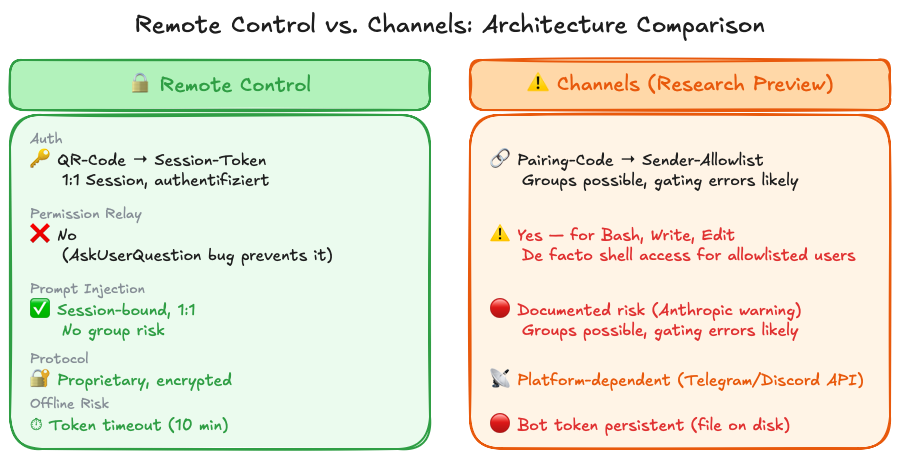 Remote Control vs. Channels: Different security models for mobile access
What I Actually Want
The question "How do I use Claude Code on the go?" is the wrong question for me. The right one is: What's missing from Claude Code to make my desk time more effective?
Instead of Mobile Access
Better batch/queue workflows. This is my number-one wish. Submit tasks that get processed sequentially. Not three terminals open for manual monitoring because I need three parallel tasks — a queue that Claude works through autonomously. Task 1 done, log the result, start Task 2. A report at the end: what was completed, where were problems, what needs human input. This would boost productivity more than any mobile access, because I could delegate tasks without actively observing them.
Granular permission handling. Bypass permissions is an all-or-nothing switch. What's missing is the middle ground: auto-approve profiles for trusted operations. "Git operations yes, network access no." Or: "Files in the project directory yes, everything outside — ask." Or even time-based: "Auto-approve everything for the next 30 minutes, then back to standard." This partially exists with --dangerously-skip-permissions, but the name says it all — it's a single, coarse switch, not a fine-grained system.
Session persistence through network issues. Remote Control's 10-minute timeout is too short. On a train going through a dead zone, you lose the connection. A more robust reconnect logic — with a local queue for pending interactions that syncs after reconnect — would help more than any chat bot proxy.
Multi-instance dashboard. When I have five Claude Code instances running, I want to see at a glance: which one is still working, which is waiting for input, which is done, which hit an error. Currently that means clicking through five terminal tabs. A dashboard — whether as a web UI, a terminal multiplexer integration, or a separate tool — would drastically simplify this.
If Mobile, Then Do It Right
If Anthropic does want to build a mobile solution — and Liu's point that session start from the phone is missing is valid here — then please do it right:
Authenticated pairing like Remote Control. RC's session token model is the right approach: time-limited, session-bound, encrypted. Channels' sender allowlist with persistent bot tokens is the wrong model for security.
Permission confirmation via push notification + biometrics. Imagine: Claude needs confirmation for a bash operation. Your phone vibrates. You see a push notification with the specific command. Face ID or fingerprint, and the operation is approved. No Telegram bot, no chat interface — a dedicated security interaction. Just like banking apps confirm transactions.
Session start from your phone. Remote Control can currently only access running sessions. But sometimes you want to kick off a new task from the road — not just react to an existing one.
No chat tool as a proxy. Telegram, Discord, and iMessage are chat infrastructure. They're built for humans to communicate with each other — not for a human to control a code agent with shell access. The security models of these platforms are adequate for their purpose, but not for accessing a machine that executes code.
In practice, I actually use Remote Control exactly like this: I monitor and control my running Claude Code sessions on my MacBook Pro from my iPad — from the couch, the kitchen, wherever. It works, as long as no AskUserQuestion dialogs vanish into thin air. When it happens, I restart the app — the only available workaround. I'd use it a lot more if it weren't for the bug.
Plan Comparison: Max 20x vs. Team Premium
For context on why I run two plans simultaneously, here's the direct comparison:
| Team Premium | Max 20x | |
|---|---|---|
| Cost | $100–150/seat/month | $200/month |
| Sonnet/week | 50–95 hours | 240–480 hours |
| Opus/week | 3–7 hours | 24–40 hours |
| Typical bottleneck | Opus budget end of week | Rarely at the limit |
Weekly hours are Anthropic's estimated ranges, not published hard caps.
In practice, this looks like: during the week, I primarily work through the Team Premium seat. For more complex tasks that require Opus, or when the Sonnet budget gets tight mid-week, I switch to Max 20x. On weekends and for personal projects, exclusively Max 20x.
The Team Premium budget gets regularly maxed out — not because I'm wasteful, but because parallel instances and all-day use hit limits fast. The Max 20x account is the safety net that ensures I never have to stop because of budget limits.
The "Desk Tax" thesis implicitly assumes you have a single $20 account and only use it in the evenings. My setup is the opposite: I need two plans combined to have enough capacity for my workday.
The Bottom Line
The real limits of Claude Code aren't the desk. They're token budgets, context window boundaries, and — yes — bugs like the AskUserQuestion rendering bug that makes Remote Control unreliable in practice. Channels as an alternative are architecturally questionable: chat tools as a proxy for a code agent with shell access, where the combination of permission relay and bypass permissions should make any security reviewer nervous.
What I want isn't "Claude Code on my phone." It's better workflows at my desk: batch queues, granular permission handling, a dashboard for parallel instances. Tools that make the 8+ hours I already spend at the terminal more productive. And if Anthropic builds a mobile solution, then please as a standalone product with push notifications and biometrics — not as a Telegram bot.
At the beginning of this article, I said that the question about mobile access is the wrong question for me. That still holds. The "Desk Tax" exists — but only for a certain user profile. For power users, the math is different: two plans, parallel instances, token budgets as the real constraint. The right question isn't "How do I reach my Claude Code session from the couch?" It's: "How do I make the time I already spend at my desk more productive?" The answer has little to do with the smartphone — and a lot to do with the tools Claude Code doesn't have yet.
This article was originally published on Medium.