

October 2025, a switch was coming. My Anthropic API costs had grown too high -- partly due to my RooCode Agile Software Development Team Framework. A switch to Claude Code with a team subscription. Within days, I had access -- and was facing an ecosystem just beginning to unfold.
The first weeks were overwhelming. Claude Code was a moving target: The plugin system launched in October, while I was already working productively with it. Skills, MCPs, Hooks -- new possibilities everywhere, but also decisions. What do you really need? What's nice-to-have? And how do you prevent the context window from filling up with unnecessary tools?
After three months of intensive exploration -- from October 2025 to today, January 2026 -- I've gained clarity. Not through perfect planning, but through iteration. Through trying things out, discarding them, reconfiguring. Through discovering game-changers like the Superpowers plugin in late November, which fundamentally changed how I work.
This article isn't a complete feature list or a beginner tutorial. It's my curated collection of must-haves -- tested in real projects, optimized for context efficiency, proven in daily use. As of January 2026, knowing that Claude Code will continue to evolve. But this foundation works. And maybe it's a good starting point for your own workflow.
🚨 Critical Security Update - Claude Code 2.1.0
While finalizing this article, Claude Code 2.1.0 was released (January 2026) with a critical security fix: Versions < 2.1.0 exposed OAuth tokens, API keys, and passwords in debug logs.
Action Required: - ⚠️ Update immediately to 2.1.0+:
npm update -g @anthropic-ai/claude-code- 🔒 Review and delete existing debug logs - 🔑 Rotate exposed credentials (API keys, tokens)Version 2.1.0 also brings game-changing features: Automatic Skill Hot-Reload (skills available instantly without restart), Skill Context Forking (isolated sub-agent contexts), Hooks in Skill Frontmatter, Bash Wildcard Permissions (
Bash(npm *)), and Language Configuration. These features are mentioned at relevant sections throughout the article.
Quick Setup: The Absolute Essentials
Before diving into details, here are the recommendations you should start with.
The 2 absolute must-haves for EVERYONE:
✅ Language Server for your main language -- Code intelligence isn't optional. Without real-time type information, Claude's working in the dark. With a language server, Claude sees type errors immediately after edits, understands semantic relationships, and can use "Go to Definition" and "Find References." This is the single biggest productivity gain.
✅ Superpowers Plugin -- Transforms Claude from helper to senior developer. 20+ production-proven skills for structured workflows: Test-Driven Development, Systematic Debugging, Structured Planning. I've used it daily since discovering it in late November. Game-changer.
Also recommended:
✅ Context7 MCP -- Up-to-date documentation without token overhead. Real-time docs, version-specific, from official sources. Essential for every new library. (API key optional but recommended)
✅ Sequential Thinking MCP -- Structured problem-solving for complex tasks. LLM-based methodical thinking, like having a senior architect who thinks before coding. Best combined with Context7.
Installation (copy-paste ready):
# Language Server (examples for common languages)
# Note: Requires claude-code-lsps Marketplace
/plugin marketplace add boostvolt/claude-code-lsps
/plugin install pyright@claude-code-lsps        # Python
/plugin install vtsls@claude-code-lsps          # TypeScript/JavaScript
/plugin install rust-analyzer@claude-code-lsps  # Rust
/plugin install gopls@claude-code-lsps          # Go

# Superpowers Plugin
/plugin marketplace add obra/superpowers-marketplace
/plugin install superpowers

# Context7 MCP (API key optional but recommended for higher rate limits)
claude mcp add context7 -- npx -y @upstash/context7-mcp@latest

# Sequential Thinking MCP
claude mcp add sequential-thinking -- npx -y @modelcontextprotocol/server-sequential-thinking
That's the foundation. Everything else comes as needed. Less is more -- especially for context management.
Plugins: The 4 Must-Haves
The plugin system launched in October 2025. After three months of intensive use: These 4 plugins are essential.
1. Language Server for Your Main Language
Available: pyright (Python), vtsls (TypeScript/JavaScript), rust-analyzer (Rust), gopls (Go)
Language Server Protocol (LSP) gives Claude real-time type information and semantic code understanding. That means: "Go to Definition", "Find References", type errors visible immediately after edits. Without LSP, Claude works with text files. With LSP, Claude understands the codebase as a structured system.
My experience: The single biggest productivity gain. Claude sees type errors immediately after edits, before tests run. Refactorings become safer because Claude finds all usages of a function. The difference is so large that I don't want to work without LSP anymore.
# Installation (add marketplace first)
/plugin marketplace add boostvolt/claude-code-lsps

# Then install plugin (example Python)
/plugin install pyright@claude-code-lsps

# Or TypeScript/JavaScript (vtsls instead of typescript-lsp)
/plugin install vtsls@claude-code-lsps
2. Superpowers
What it is: 20+ production-proven skills for structured workflows -- Test-Driven Development, Systematic Debugging, Root Cause Tracing, Structured Planning. Born from real practice, tested and iterated by the community.
Superpowers transforms Claude from reactive helper to proactive senior developer. Instead of just responding to requests, Claude follows structured workflows: Test first, then implement. Find root cause first, then fix. Brainstorm first, then code.
Why essential: The skills encode best practices that would otherwise be lost. Red-Green-Refactor not as theory, but as enforced workflow. Debugging not as trial-and-error, but as a four-phase framework. The result: higher code quality, less rework, better architecture decisions.
My usage: Daily since discovering it in late November. Indispensable. The wrapper pattern (commands as entry points, skills as implementation) influenced my own skill development. More on this in the "Skills & Commands" section.
# Installation
/plugin marketplace add obra/superpowers-marketplace
/plugin install superpowers
3. commit-commands
What it is: Git workflow automation. Intelligent commit messages based on actual changes, automated pull requests with context-aware descriptions.
Features: Analyzes git diff and git log for commit message suggestions, creates PRs with summary and test plan, follows repository-specific commit conventions.
Value: Eliminates manual Git workflows. No more handwritten commit messages that sound generic after 20 minutes of coding. No more PRs where you forget what actually changed. Claude sees all changes and summarizes them in a structured way.
# Installation
/plugin install commit-commands
4. pr-review-toolkit
What it is: Multi-agent code reviews with confidence scoring. Multiple specialized review agents check different aspects: tests, error handling, type design, code quality.
Features: Each agent provides feedback with a confidence score (0-100%). Filters false positives through multi-agent consensus. Creates structured review reports with categorized findings.
Value: Massively improves code quality before every merge. Not as a replacement for human review, but as a first filter. Finds edge cases that get overlooked in manual review. Especially valuable when you're working alone on a project without team review.
# Installation
/plugin install pr-review-toolkit
The order of plugins isn't a coincidence: Language Server gives Claude "eyes" for code structure. Superpowers gives Claude "workflows" for structured work. commit-commands and pr-review-toolkit automate the final steps. Each plugin builds on the previous one.
MCP Servers: The Essentials
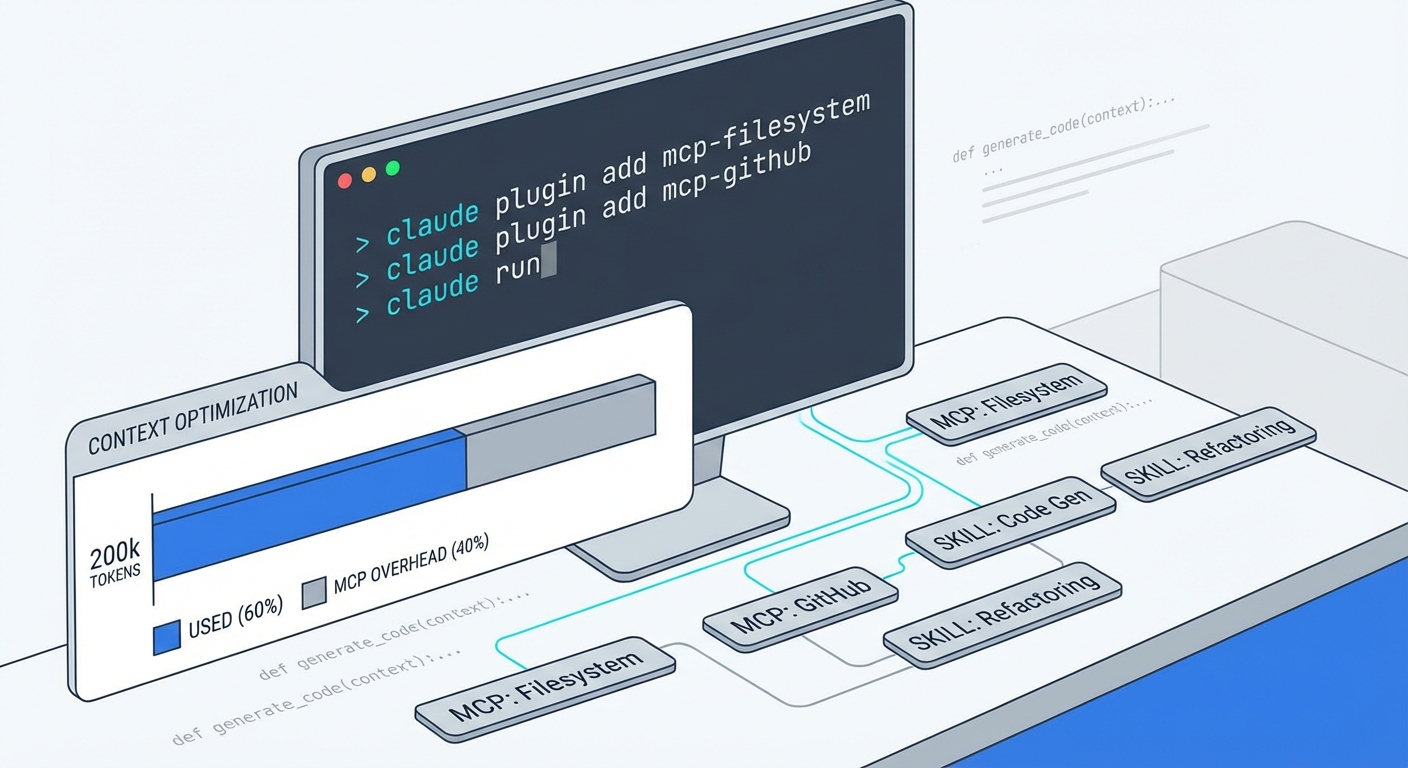
MCP servers extend Claude Code with external integrations. But: Less is more. Too many MCPs consume context -- sometimes over 40% of the 200k context window just for MCP tools at startup. The art is choosing the right MCPs.
1. Context7 - Up-to-date Documentation (MUST-HAVE)
Function: Real-time, version-specific documentation directly in prompts. No outdated docs, no manual searching, no token overhead from copy-paste.
Features: - Official sources (GitHub, official docs) - Version-specific content (e.g., Next.js 14.3.0-canary.87) - Millisecond response time - Resolve Library ID + Query Docs workflow
Why essential: Claude's knowledge cutoff is January 2025. Frameworks change monthly. Context7 solves this: current docs without you having to manually search and copy them into prompts. This saves tokens and prevents hallucinations based on outdated information.
My usage: Essential for every new library. Especially with framework updates (React 19, Next.js 15), Context7's the difference between working code and hours of debugging due to deprecated APIs.
# Installation
claude mcp add context7 -- npx -y @upstash/context7-mcp@latest

# Optional: API key for higher rate limits
# Register at context7.com/dashboard and add key to config
Usage in prompt:
I'm using Next.js 15.1.0. Show me how the new Server Actions work.
Context7 automatically resolves /vercel/next.js/v15.1.0 and delivers current docs.
2. Sequential Thinking - Structured Problem-Solving
Function: LLM-based structured thinking for complex problems. Methodical working through with explicit reasoning chains, revision of approaches when needed.
Features: - Extended reasoning chains (not just the first idea, but alternatives) - Explicit thinking steps before code generation - Revision mechanism when an approach doesn't work - Integration with other MCPs (e.g., Context7)
Why useful: "Like having a senior architect who thinks before coding." Especially valuable for architectural decisions, complex refactorings, or when multiple solution paths are possible. Sequential Thinking makes reasoning explicit and traceable.
Combination: Best used together with Context7. Sequential Thinking for structured reasoning, Context7 for current framework information.
# Installation
claude mcp add sequential-thinking -- npx -y @modelcontextprotocol/server-sequential-thinking
3. Memory Bank / Serena - For Large Codebases
When needed: Only for codebases >1000 files or highly complex architectures.
Memory Bank: Cross-session memory -- persistent across sessions. Stores architecture decisions, frequently used patterns, project context.
Serena: Semantic code retrieval and editing tools. Understands code semantically (not just text matching), finds relevant code locations based on intent.
Trade-off: Setup effort (indexing, configuration) vs. token savings. For smaller projects, the overhead outweighs the benefit.
My recommendation: Only when there's real need. If you notice you're regularly fighting context overflow and the codebase has >1000 files, the investment pays off. Before that: use native tools (see next section).
Installation: See official documentation -- setup is individual per project.
4. Native Tools First - The 80% Solution
Key insight: For most projects (<1000 files), native tools are sufficient.
Native tools in Claude Code: - Glob (File Pattern Matching): **/*.js, src/**/*.ts -- finds files lightning fast - Grep (ripgrep-powered): Full-text search with regex support, extremely fast - Explore Subagent (Haiku-powered): Quick reconnaissance for codebase structure
Advantage: No setup, no context overhead, immediately available. Glob and Grep are so fast that indexing is often unnecessary.
When MCP: Only for >1000 files, complex architecture, or when semantic queries are needed (not just text matching, but intent-based).
Philosophy: "Search, Don't Index." Modern search tools are so fast that pre-indexing is often overkill. Only introduce MCPs when search becomes a bottleneck.
Context overhead from MCPs is often underestimated. In my tests: 81,986 tokens just for MCP tools at startup (41% of the 200k window!). Every MCP costs context. The question isn't "Can I use this MCP?" but "Do I really need it?" Native tools first, MCPs when there's real need.
Skills & Commands: Progressive Disclosure
Skills have been one of the most powerful features in Claude Code since October 2025. They let you define structured workflows that Claude must follow. I use the wrapper pattern -- learned from Superpowers.
The Wrapper Pattern
Concept: Commands as thin entry points (minimal context) + skills as full implementation (loaded on-demand, no startup cost).
Specifically: A command is 6 lines of YAML, ~200 bytes. It just points to the skill. The skill contains the full implementation (1,000+ lines). The skill is only loaded when the command is called.
Example from my practice:
Command: update (6 lines, 189 bytes)
name: update
description: Analyze conversation/codebase and intelligently distribute insights
command: |
  Using the 'mayflow:updating-documentation' skill, analyze...
Skill: updating-documentation (1,326 lines, full implementation) - Analyzes conversation + codebase - Distributes insights to CLAUDE.md, README.md, docs/ - Handles hierarchies and update strategies - Full logic, only loaded when used
Context math:
- Start: +93 tokens for command (+14% for a small project)
- At growth: Without wrapper, 1,326 lines of skill in system prompt → +2,087 tokens
- With wrapper: Only 93 tokens at startup, full 2,087 only when used
- Savings at growth: -1,994 tokens (-64%)
- Break-even: 2-3 weeks of daily use
Why I use it:
Context efficiency at scale. I can add unlimited skills without burdening startup context. Clear separation between entry point (what does the command do?) and implementation (how is it done?). Progressive disclosure: you see the simple command list first, details only on demand.
Inspiration: Learned from Superpowers -- the only plugin I know so far that uses this approach. The 20+ skills from Superpowers wouldn't be practical without the wrapper pattern (would consume tens of thousands of tokens at startup).
Developing Your Own Skills
When useful: Recurring workflows, team-specific processes, complex multi-step tasks.
Storage locations: - Personal Skills: ~/.claude/skills/ -- available across all projects - Project Skills: .claude/skills/ -- team-shared via Git, project-specific - Plugin Skills: Automatically available when plugin is installed (like Superpowers)
New in v2.1.0: Automatic Hot-Reload 🔥
Game-changer for skill development: Skills become available instantly without session restart. Edit skill → switch to Claude Code → skill works. This eliminates the biggest friction in iterative skill testing.
Before: Edit → Restart Session → Test → Repeat (5+ minutes per iteration) Now: Edit → Test → Repeat (< 30 seconds per iteration)
This makes exploratory skill development practical. Test small changes, iterate quickly, get immediate feedback.
Workflow: 1. Develop for your own use first (Personal Skills) 2. Test and iterate in a project 3. When the team needs it: Move to Project Skills (.claude/skills/) 4. For higher complexity or broader use: Package as plugin
Plugin for team sharing: When skills become complex (multiple files, dependencies), or when you want to share them across multiple teams/projects, plugin format makes sense. But: start simple. Personal Skill → Project Skill → Plugin is the natural development path.
Iteration matters: No skill version is perfect on the first try. Write first, use it, then iterate. After 2-3 iterations, skills are typically much better than the first draft.
Advanced: Context Forking (v2.1.0) 🚀
For token-intensive skills: Run them in isolated sub-agent contexts. This is relevant for large codebase analyses (>1000 files), research tasks with many external resources, or parallel workflows.
---
name: heavy-analysis
context: fork          # Run in separate sub-agent
agent: explore         # Optional: Use specific agent type
---
Benefits: Main context stays clean, parallel skill execution possible, token isolation for heavy operations. This is the context management equivalent of the wrapper pattern: costs only when used, not at startup.
Best Practices
- Skill-first for recurring tasks: If you do something more than 3 times, a skill makes sense
- Use progressive disclosure: Split large skills into separate files (main skill + helper files)
- Test with representative queries: Use real use cases for testing, not contrived examples
- Reusability: Skills can be used by commands, agents, hooks -- write once, use multiple times
The wrapper pattern isn't just context optimization. It's an architecture principle: Separation of Concerns. Commands describe "What?", skills describe "How?". This makes commands readable and skills focused. Both can evolve independently.
Hooks: Event-Based Automation
Hooks automate workflows event-based. 9 lifecycle events available (as of January 2026): SessionStart, UserPromptSubmit, PreToolUse, PostToolUse, and more. My focus: Auto-formatting and security.
PostToolUse - Auto-Formatting
When: Automatically format after every Edit/Write.
File-type specific: Python (ruff), TypeScript (prettier), Go (goimports), Kotlin (ktlint), Markdown (prettier). Each language has its own formatter, hooks can orchestrate them all.
My recommendation: ryanlewis/claude-format-hook
- Battle-tested, multi-language support
- Supports JS/TS (Biome with fallback to Prettier), Python (ruff), Go (goimports), Kotlin (ktlint), Markdown (prettier)
- Graceful degradation: If a formatter's missing, the hook doesn't fail (via
|| true). Never interrupts Claude Code.
Installation:
# Clone repository
git clone https://github.com/ryanlewis/claude-format-hook.git ~/.claude/hooks/format

# Make executable
chmod +x ~/.claude/hooks/format/format-code.sh

# Add to Claude Code Settings.json (see below)
Config example (Settings.json):
{
  "hooks": [
    {
      "trigger": "PostToolUse",
      "commandMatch": "Edit|Write|MultiEdit",
      "command": "~/.claude/hooks/format/format-code.sh"
    }
  ]
}
How it works: After every Edit/Write, Claude Code calls the hook. The hook detects file type, selects the appropriate formatter, formats the file. If the formatter is missing or fails: || true prevents errors. Claude Code continues working.
PreToolUse - Security
When: Before tool execution -- can block or modify.
Use cases: - Blocks dangerous commands (rm -rf, dd, mkfs) - Protects sensitive files (.env, package-lock.json, .git/) - Exit code 2 = tool is blocked, Claude gets error message
New since v2.0.10: Input Modification
Instead of blocking a tool, a hook can transparently correct input. Example: Claude wants to commit .env → hook removes .env from staging → command continues without .env.
Example: .env and .git/ protection
#!/bin/bash
# PreToolUse Hook: Block .env and .git/ modifications

TOOL_NAME="$1"
INPUT_JSON="$2"

# Check if Edit/Write targets .env or .git/
if echo "$INPUT_JSON" | jq -e '.file_path | test("\\.env$|\\.git/")' > /dev/null; then
  echo "BLOCKED: Cannot modify .env or .git/ files" >&2
  exit 2  # Exit Code 2 = Block Tool
fi

exit 0  # Allow Tool
Input Modification (new):
#!/bin/bash
# PreToolUse Hook: Remove .env from git add

TOOL_NAME="$1"
INPUT_JSON="$2"

# If Bash(git add) includes .env, modify input
if [[ "$TOOL_NAME" == "Bash" ]]; then
  COMMAND=$(echo "$INPUT_JSON" | jq -r '.command')
  if [[ "$COMMAND" =~ "git add" ]] && [[ "$COMMAND" =~ ".env" ]]; then
    # Remove .env from command
    MODIFIED=$(echo "$COMMAND" | sed 's/\.env//g')
    # Return modified input
    jq -n --arg cmd "$MODIFIED" '{command: $cmd, updatedInput: true}'
    exit 0
  fi
fi

exit 0  # No modification
Best Practices 2026
"Block-at-Submit" instead of "Block-at-Write":
Old strategy: Block at every Write → many interruptions, Claude gets stopped frequently.
New strategy: Let agent finish plan → validate final result. Instead of blocking every edit, let Claude execute the complete plan. Validate at the end (UserPromptSubmit hook or before commit).
Recommendation from the creator (Ryan Lewis): "Run hooks at the end of the work, not during the work." Fewer interrupts, smoother workflows, better UX.
Input Modification over Blocking:
Use updatedInput in PreToolUse hooks. Correct inputs instead of blocking. Makes corrections invisible to Claude → no error messages, no interruptions.
Example: Claude wants to edit package-lock.json → hook replaces with /dev/null → no edit, no error.
New in v2.1.0: updatedInput now also works with ask return (hook can modify input AND request user confirmation). Plus: once: true option for hooks -- runs only once per event (performance optimization for expensive operations like linting).
Graceful Degradation:
Hooks should never interrupt Claude Code. || true for optional formatting. Build in error handling (if formatter is missing, don't fail).
Scope precisely:
Match specific commands (Edit|Write|MultiEdit), not broad tool categories. Reduces false positives.
My experience: Fewer hooks = more stable, fewer surprises. I only use auto-formatting (PostToolUse) and .env protection (PreToolUse). More would increase context and complexity without proportional benefit.
Hooks are powerful, but with power comes responsibility. Every hook is an additional complexity layer. The art is automating the 2-3 most important use cases and leaving everything else manual. Auto-formatting is a no-brainer (pure UX improvement, no downsides). Security hooks require more thought: what to block, what to allow, how to handle false positives. Start minimal, expand as needed.
Best Practices: Learnings from 3 Months
After three months of intensive Claude Code use: These practices have proven themselves.
Context Management
The problem: MCP tools can consume 40%+ context.
Example from my tests: 81,986 tokens just for MCP tools at startup (41% of the 200k context window!). That's almost half the available context -- before a single line of code was loaded.
Solution: Less is more
- Start with 2-3 MCPs, not 10+. I use Context7 + Sequential Thinking. That's it. Everything else activated on-demand.
- Use the
/contextcommand for usage breakdown. Shows: System prompt, System tools, MCP tools, Memory files, Messages, Free space. This shows you what's eating context. - My experience: 4 plugins + 2 MCPs = sweet spot.
- Language Server + Superpowers + commit-commands + pr-review-toolkit (Plugins)
- Context7 + Sequential Thinking (MCPs)
- Everything else: activate on-demand, don't load permanently
Native Tools First:
For <1000 files, Glob/Grep are sufficient. Explore Subagent for quick reconnaissance. Only use MCP indexing (Memory Bank/Serena) when there's real need.
Selective Activation:
Don't activate everything at once. McPick Tool for toggle management (temporarily enable/disable MCPs). Different MCPs per project: a frontend project needs different tools than backend microservices.
Scaling & Organization
CLAUDE.md hierarchy:
Claude Code loads three CLAUDE.md files in this order: 1. User-global: ~/.claude/CLAUDE.md (personal preferences, IDE settings, private API keys) 2. Project root: CLAUDE.md (Git-committed, team-shared, project context) 3. Local: CLAUDE.local.md (Git-ignored, machine-specific, local paths)
Tip: Language Configuration (v2.1.0) -- For international teams or non-English documentation, you can now configure Claude's response language:
// In .claude/settings.json or ~/.claude/settings.json
{
  "language": "german"  // or "japanese", "spanish", "french", etc.
}
Useful for localized commit messages, documentation in native language, or educational projects. Can be combined with CLAUDE.md for hybrid setups (e.g., code comments in English, explanations in German).
What belongs in CLAUDE.md (project root)?
- Common bash commands (Build, Test, Deploy)
- Code Style Guidelines (Prettier Config, Linting Rules)
- Key files/Architecture (Where is what? Which files are central?)
- Testing instructions (How tests run, what they check)
- Important commands (Project-specific scripts)
Example:
# CLAUDE.md

## Build & Test
- `npm run build` - TypeScript compilation
- `npm test` - Jest tests (must pass before commit)

## Architecture
- `src/core/` - Business Logic (pure functions)
- `src/api/` - Express routes (RESTful)
- `src/db/` - Database layer (Prisma)

## Code Style
- Prettier enforced via pre-commit hook
- ESLint for static analysis
- No `any` types in TypeScript (use `unknown` instead)
Plugin strategy:
- Start minimal: Language Server + Superpowers
- Expand as needed: commit-commands, pr-review-toolkit
- Not "because available," but "because needed"
The marketplace has dozens of plugins. The temptation to try everything is real. But every plugin costs context. The question isn't "Is this cool?" but "Does this solve a real problem I currently have?"
Permissions (v2.1.0: Wildcard Support):
Since v2.1.0, Bash permissions support wildcards: Bash(npm *) allows all npm commands instead of dozens of individual rules. This simplifies permission management massively:
{
  "permissions": {
    "allow": [
      "Bash(npm *)",      // All npm commands
      "Bash(git *)",      // All git commands
      "Bash(pytest *)"    // All pytest commands
    ]
  }
}
Skills vs. Commands:
- Commands: User convenience (thin wrappers), entry points
- Skills: Implementation (full logic), loaded on-demand
- Progressive Disclosure: Unlimited skills without context penalty (via wrapper pattern)
My recommendation:
- Practice first: Develop tools for your own needs. Use Claude Code to work with Claude Code (dogfooding).
- Then document: What works goes into CLAUDE.md. What doesn't work gets removed.
- Then share: Create a plugin when the team needs it. Only when it works for you does sharing make sense.
Iteration & Learning
Iteration is normal:
The first version of a skill or hook is good. After 2-3 iterations, it's typically much better. Don't expect perfection on day one. Instead: build fast, test fast, iterate fast.
Moving target:
Claude Code evolves quickly. The plugin system launched in October (while I was already using it). Hooks got input modification in v2.0.10. What's best practice today might be obsolete tomorrow.
Stay flexible instead of clinging to the perfect plan. Use new features as they arrive. Adapt old workflows when better alternatives become available.
Community learning:
Learn from other plugins. Superpowers was my game-changer -- not just because of the skills, but because of the wrapper pattern that I then adapted for my own skills.
Explore the marketplace. Adapt best practices, don't copy blindly. What works for others doesn't necessarily work for you (and vice versa).
Feedback loops:
Claude tools provide feedback: screenshots (visual validation), tests (functional validation), linting (code quality). Use them.
Use Claude itself for plugin development. Dogfooding: use what you build. If you wouldn't use it, why would anyone else?
The biggest difference between an "okay" and a "great" setup isn't how many tools you use, but how well the tools fit together. Language Server + Superpowers + Context7 is more than the sum of its parts: LSP gives Claude code understanding, Superpowers gives workflows, Context7 gives up-to-date knowledge. Each tool amplifies the others. This isn't a random combination -- it's a stack that feels designed to work together (even though the plugins come from different authors).
Conclusion: From Overwhelm to Clarity
From overwhelm by options to clear must-haves -- that was my journey over the last three months. October 2025, I had access to Claude Code. Beginning of January 2026, I've got a setup that works.
The path there wasn't linear. The plugin system came in October, in the middle of my usage. And while I was writing the final versions of this article, Claude Code 2.1.0 was released -- with features like Skill Hot-Reload and Context Forking that address exactly the challenges I'd experienced over the past months. Instead of problems, these were opportunities: use new possibilities, adapt workflows. Flexibility was more important than complete planning.
The most important insight: Less is more.
Context efficiency beats feature abundance. 4 well-chosen plugins > 20 "interesting" plugins. Use native tools instead of immediately adding MCPs. Not "because available," but "because needed."
The Core Recommendations
Start minimal: - Language Server for your main language (Plugin) - Superpowers for structured workflows (Plugin) - Context7 for up-to-date documentation (MCP)
Expand as needed: - commit-commands for Git automation (Plugin) - pr-review-toolkit for code quality (Plugin) - Sequential Thinking for problem-solving (MCP) - Memory Bank/Serena only for >1000 files (MCP)
Work context-aware: - Don't activate everything that exists - Check /context command regularly - Selective activation per project
Practice first: - Develop your own workflows - Then document (CLAUDE.md) - Then scale (Skills, Plugins) - Iteration over perfection
Outlook
Claude Code continues to evolve. New features come continuously. These recommendations are as of January 2026 -- not a dogmatic guide, but a snapshot.
The community ecosystem is growing. Marketplaces, plugins, skills. New possibilities arrive daily. Exciting developments to expect.
My usage and learnings continue. Not a finished process. Keep experimenting, keep learning, keep iterating.
This setup works for me. Take it as a starting point for your own workflow.
Not as a blueprint, but as inspiration. Not as a complete feature list, but as a curated collection. Not as a perfect solution, but as a starting point for your own exploration.
October 2025, I faced a fresh start. Beginning of January 2026, I've found clarity. In three months: from "What do I need?" to "This works." The next chapter begins now.
This article was originally published on Medium.