

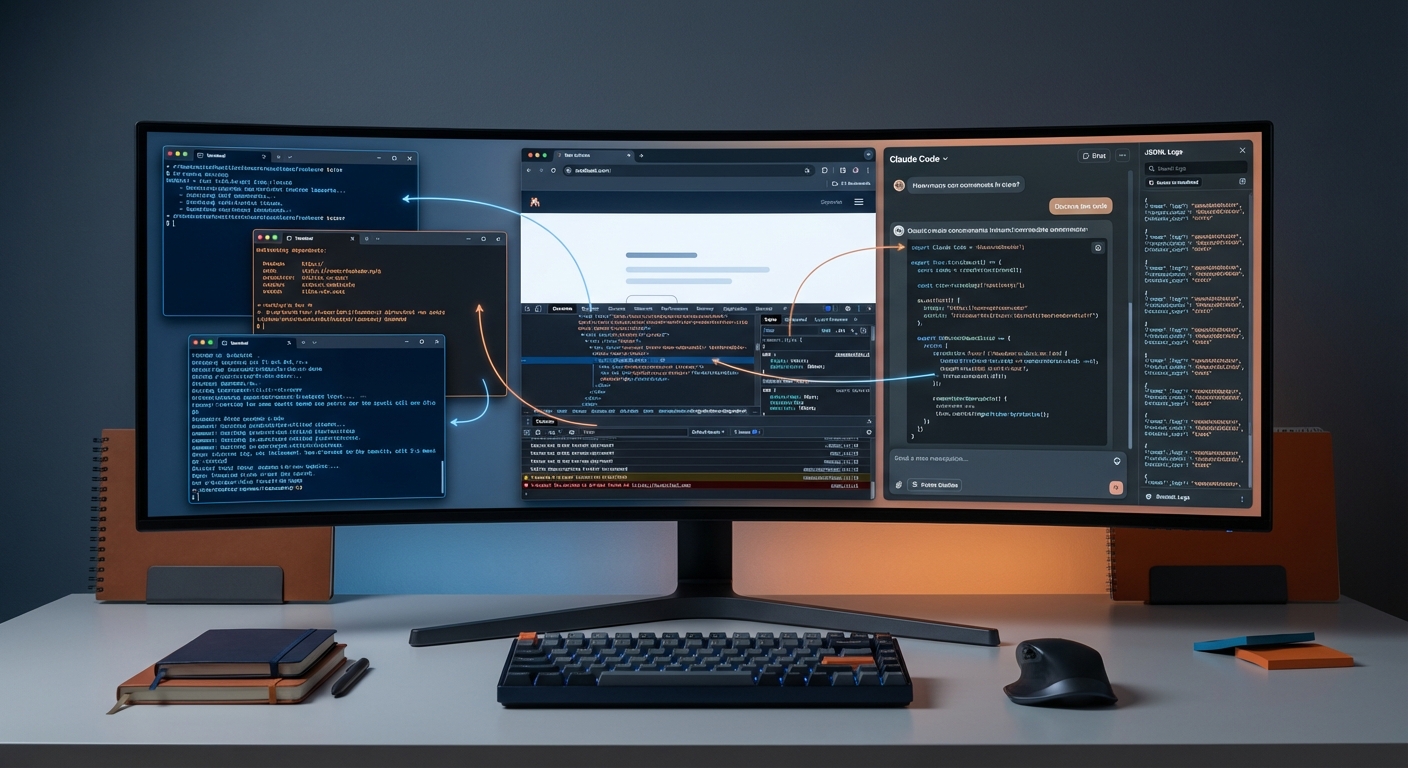
As of March 2026 — this is my current stack. After months of intensive daily use, a lot has changed: Browser DevTools MCPs are now a permanent part of the setup, ContextMine complements Context7 for internal documentation, session-mining replaces the missing cross-session memory, and instead of one Claude Code instance, I run at least two in parallel. The foundation from January remains — but the stack has deepened.
This article is a fresh snapshot: what I actually use today, why, and how it all connects. No beginner tutorial, no comprehensive feature guide — a curated inventory from my daily practice.
Quick Setup: The Current Core Stack
Before diving into details — here's the overview.
Absolutely essential:
| Tool | Type | Purpose |
|---|---|---|
| Language Server (pyright, vtsls, ...) | Plugin | Code intelligence, real-time type information |
| Superpowers | Plugin | Structured workflows, 20+ skills |
Daily drivers:
| Tool | Type | Purpose |
|---|---|---|
| Context7 | MCP | Up-to-date documentation, version-specific |
| chrome-devtools / firefox-devtools | MCP | Browser debugging directly from Claude Code |
| ContextMine | MCP | Local/internal documentation indexing |
| commit-commands | Plugin | Git workflow automation |
| pr-review-toolkit | Plugin | Multi-agent code reviews |
On demand:
| Tool | Type | Purpose |
|---|---|---|
| Sequential Thinking | MCP | Structured problem-solving |
| Memory Bank | MCP | Cross-session memory for 1,000+ file projects |
# Browser DevTools MCPs (in use since January, mentioned here for the first time)
claude mcp add chrome-devtools -- npx -y chrome-devtools-mcp@latest
claude mcp add firefox-devtools -- npx -y firefox-devtools-mcp@latest

# ContextMine: Docker Compose setup (guide → github.com/mayflower/contextmine)
# MCP connection after startup:
# "contextmine": { "url": "http://localhost:8000/mcp" }
Plugins — What's Proven Itself
Four plugins have survived since the January setup. Nothing added, nothing dropped.
Language Server remains the single biggest productivity gain. Claude sees type errors after edits, finds references, understands code as structure rather than text. I wouldn't want to work without LSP anymore.
Superpowers delivers the skill framework for structured workflows — from test-driven development to systematic debugging to brainstorming and planning. I cover the practice of writing skills in a dedicated section below.
commit-commands automates Git workflows: commit messages from actual changes, context-aware PRs. pr-review-toolkit provides multi-agent code reviews with confidence scoring before every merge.
These four form the stable plugin core. Nothing's been added because nothing was missing. The marketplace has dozens of options — but every plugin costs context tokens at startup. My question stays: "Does this solve a real problem?" If not, it stays out.
MCP Servers — The Expanded Trio
Context7 (unchanged)
Cloud documentation, version-specific, from official sources. Indispensable for any external library. Usage hasn't changed — Context7 just works. One prompt with the library name and version, and Context7 handles the rest: fetching current docs, delivering relevant sections, without token overhead from manual copy-paste.
ContextMine (new)
ContextMine is a self-hosted application. It does for internal documentation what Context7 does for public libraries: index and make searchable. The full stack runs locally via Docker Compose — API, worker, and admin UI included.
The difference: Context7 pulls from public sources — GitHub repos, official docs. ContextMine runs locally and indexes whatever you feed it: internal codebases, private documentation, Confluence exports, proprietary APIs. They complement each other without overlap.
# ContextMine is a complete self-hosted application (API + Worker + UI)
# Setup: https://github.com/mayflower/contextmine
git clone https://github.com/mayflower/contextmine.git
cd contextmine && cp .env.example .env  # Configure GitHub OAuth + OpenAI API key
docker compose up -d

# MCP connection in Claude Desktop / claude_desktop_config.json:
# "contextmine": { "url": "http://localhost:8000/mcp" }
In my daily work, I use Context7 for framework docs and ContextMine for project-specific documentation. The separation is clean: public vs. internal. Neither tool tries to replace the other — they serve different sources with the same goal: giving Claude the right context without me having to hunt it down manually.
Browser DevTools MCPs (finally mentioned)
Simply forgotten in the January article — despite being in daily use back then. The Browser DevTools MCPs give Claude direct access to the browser: console, network, DOM, screenshots.
chrome-devtools MCP connects Claude Code to the Chrome DevTools Protocol. Claude sees console errors, analyzes network requests, inspects the DOM, and can take screenshots. For frontend debugging, this means: no more manual copy-paste of error messages. Claude sees directly what's happening in the browser.
firefox-devtools MCP offers the same functionality for Firefox. Same use cases, different browser.
Concrete use cases: - Console error analysis: Claude reads console output and debugs directly - Network request inspection: Inspect API responses, analyze timing - DOM inspection: Find elements, check styles, identify layout issues - Visual regression: Take and compare screenshots
# Chrome DevTools MCP
claude mcp add chrome-devtools -- npx -y chrome-devtools-mcp@latest

# Firefox DevTools MCP
claude mcp add firefox-devtools -- npx -y firefox-devtools-mcp@latest
Both MCPs start the browser themselves — no manual opening, no extra flags required.
★ Insight ──────────────────────────────────────────────────────────────────Browser DevTools MCPs close a feedback loop that was previously open: Claude writes code, the browser renders it, Claude sees the result. Without these MCPs, that last step was manual — I had to tell Claude what I was seeing in the browser. Now Claude sees for itself. That doesn't just reduce copy-paste — it gives Claude context I couldn't deliver as precisely in words.
────────────────────────────────────────────────────────────────────────────
Skills & Commands — From Prompts to Skills
Superpowers as a plugin is one thing. The practice of writing your own skills is another. This section is about the latter.
The 3x rule: If I do something three times manually, it becomes a skill. superpowers:writing-skills is the tool for that — a skill that writes skills. Sounds meta, but it works: I describe the workflow, the skill generates the structure.
The mayflow:update example shows the natural evolution path. It started as a simple command — a few lines updating CLAUDE.md. Then it became a global skill under ~/.claude/skills/ as the logic grew more complex. Today it's a skill in its own plugin, massively expanded: conversation and codebase analysis, intelligent distribution of insights across files, hierarchy management.
That path — command, global skill, plugin skill — wasn't planned. It emerged through iteration. And that's exactly the pattern: don't search for the perfect abstraction upfront, let it grow organically.
What the wrapper pattern means: Superpowers separates commands and skills. Commands are thin entry points — minimal code that delegates to a skill. Skills hold the full implementation. This principle has shaped my own skill development: no monolithic prompts, just clear responsibilities.
When a prompt becomes a skill: Frequency is the obvious trigger (3x rule). But complexity matters too: if a workflow has multiple steps where order matters, a skill pays off — even at lower frequency. And then there's team relevance: if others need the same workflow, a skill beats a Slack message with instructions.
The decisive advantage over prompts: a skill is versioned and iterable — and unlike commands, only the description sits in context at startup, not the full content. Commands are loaded completely; skills load their full content on demand. The first version is rarely perfect. After two or three rounds, it's typically much better — because practice reveals what's missing or superfluous.
Session-Mining — Claude Reads Its Own Logs
Claude Code stores every session as a JSONL file under ~/.claude/projects/. This isn't a feature Anthropic advertises — it's a byproduct of session management. But it's usable.
How it works: Every conversation gets saved as a sequence of JSON objects — one per message. These files can be passed directly to Claude: "Read this session and find the architecture decision from last week." Claude searches the logs and extracts what's relevant.
Use cases: - Reconstruct past decisions: "What did we decide about this problem?" - Recover insights: "Which pattern did we choose for the API layer?" - Bridge context between sessions: Instead of re-explaining everything, load the relevant old session
Why this matters: Cross-session memory is one of the biggest open problems in LLM-based workflows. Every new session starts from zero. Session-mining bridges that gap without a separate memory MCP, without setup, without configuration — just using the naturally occurring log files.
Limits: Session-mining requires manual instruction — Claude doesn't search logs automatically. JSONL files can get large. And it won't replace a proper memory MCP for very large projects with hundreds of sessions. It's a pragmatic workaround, not a full-featured memory system. But for most of my projects, it's enough.
★ Insight ──────────────────────────────────────────────────────────────────The JSONL format is what makes this practical. Each line is a self-contained JSON object. Claude can read files partially — the first 100 lines of a 10,000-line session often provide enough context. If it were a single large JSON array, the entire file would need loading. JSONL makes session-mining feasible.
────────────────────────────────────────────────────────────────────────────
IDE-Free Workflow
My main tool today is iTerm + Claude Code. Not as a dogmatic statement — just what's settled in. I barely open PyCharm anymore, VS Code not at all. What remains: Fork for Git visualization and merge conflicts, Sublime Text for quick file glances without context overhead.
Multiple parallel instances are the real productivity gain. Not one Claude Code instance, but at least two — often more. Two scenarios:
Parallel tasks in the same project. One instance works on feature A, another reviews or debugs feature B. Like manually steered sub-agents — each instance has its own context, its own task.
Multiple projects simultaneously. Blog article in one terminal, code project in another, documentation in a third. Often multiple instances per project here too.
This replaces the IDE-tabs workflow: instead of switching between files, independent contexts run in parallel. No context switch, because each instance keeps its own state.
When exceptions apply: Complex merge conflicts go to Fork — three-way merge visualization can't be replaced in the terminal. And when I want to quickly glance at a file without starting a Claude session, I reach for Sublime Text. But those are exceptions, not the rule.
This isn't a statement against IDEs. It's the observation that Claude Code has replaced most IDE workflows for me — not through a conscious decision, but because at some point I just stopped opening the IDE.
SDD as a Daily Workflow
Spec-Driven Development — spec first, then code — isn't an occasional tool for me anymore. It's the default workflow for every non-trivial task. Not as a methodology sermon, but as personal practice that has proven itself. I've explored the theoretical foundations and practical experience in a dedicated series: Why the AI Era Needs Structured Specs, SDD in Practice: Learnings from 153 Commits, and 651 Commits, 0 Lines of Code.
The concrete flow: superpowers:brainstorming is the entry point. This skill automatically calls superpowers:writing-plans (write the spec) and then superpowers:executing-plans (implement the spec). That's the SDD workflow as an enforced skill chain: brainstorm, plan, implement — in that order, no shortcuts.
When SDD applies: anything involving multiple files or architectural decisions. When it doesn't: bugfixes, small refactorings, config changes.
How it all connects: Writing skills document SDD patterns. Session-mining helps reconstruct spec decisions from past sessions. Browser DevTools deliver feedback on the implemented spec. The tools interlock — not because they were planned that way, but because SDD as a structuring principle connects them.
★ Insight ──────────────────────────────────────────────────────────────────SDD is less a methodology and more a structuring principle. It forces thinking before doing — something LLMs rarely do without explicit guidance. The skill chain makes this repeatable: I don't have to remember the sequence, the workflow enforces it.
────────────────────────────────────────────────────────────────────────────
Best Practices — What March 2026 Changes
- Session-mining as low-overhead alternative: No setup, no configuration. The logs already exist — you just have to use them. For most projects, this is enough instead of a dedicated memory MCP.
- Browser DevTools as feedback loop: Claude sees what's happening in the browser. Shorter debug cycles, no manual describing of visual output.
- Skills as code: Versioned, iterated, improved. Not a prompt lost in conversation, but an artifact that grows.
- Context discipline: Fewer MCPs is more. Native tools (Glob, Grep) first — MCP indexing only when truly needed. Every plugin costs context tokens at startup. Only install what solves a real problem.
- Multiple instances over one: Parallel contexts instead of sequential work. The biggest workflow difference from a single-instance setup.
- Iteration over perfection: No skill, no workflow is done on the first try. Build fast, test fast, after two or three rounds it gets good.
Where Things Stand
March 2026 — not a finished process. The stack has deepened, not just expanded. ContextMine is new, Browser DevTools were already there — just never mentioned. The more important change is in integration: session-mining, parallel instances, SDD as workflow standard — these aren't new tools, they're new ways of working with what's already there.
Fewer tools, but more deeply integrated. That's the current state. Not a dogmatic guide — a snapshot that'll keep evolving. The foundation works. What comes next, practice will show.
This article was originally published on Medium.